WhatsApp AI Automation for Business: A Real Demo (Chat, Voice Notes & Live Calls)
A real WhatsApp AI automation demo: multilingual chat, voice notes, auto-invoicing, and a live AI voice call. See exactly how it works and what it costs.

Every business with a phone number already knows this problem. A customer messages at 11pm asking if a room is free, or whether something ships to their city, and by the time anyone on the team sees it the next morning, that customer has already booked with whoever replied first. Multiply that by every enquiry that sat unanswered overnight, every voice note nobody got around to, and "AI automation" stops being a buzzword and starts being the gap between a sale and a missed one.
This is what AI automation for business actually solves. Workflows that used to need someone sitting at a desk start running themselves. Conversational agents trained on your business answer the questions your team answers every single day. Documents that used to get typed up by hand get generated and sent automatically. For most businesses, the highest-leverage place to put this to work isn't a new app or an internal dashboard. It's WhatsApp, because that's where your customers already are, and because, as you're about to see, it can now hold a full conversation, switch languages mid-conversation, and even take a phone call.
What AI Automation For Business Actually Means
"AI automation" gets used loosely, so it's worth being precise about what it covers:
- Workflow automation — the repetitive, rule-based work that eats staff hours today: generating an invoice the moment an order closes, raising a purchase order before a shelf runs empty, routing a new hire's paperwork without anyone chasing it manually.
- Conversational agents — AI that holds an actual conversation with a customer or lead, on WhatsApp, by voice, or both, qualifying them, answering questions, booking appointments, and handing off to a human only when it matters.
- RAG and knowledge systems — AI trained on your own documents, past quotes, or policies, so it can produce a cost estimate or flag a compliance issue in minutes instead of the hours it currently takes someone senior on your team.
Most businesses start with one of these and expand once they see it working. The fastest one to prove out, and the one this article focuses on, is the conversational layer running on WhatsApp.
Why WhatsApp Is Where This Pays Off Fastest
There's no app to download, no account to create, and no new habit to teach your customers. They already have WhatsApp open. For businesses across Malaysia and the wider region especially, it's already the default inbox, ahead of email and ahead of a contact form on your website. The expectation that comes with that is speed: an instant reply, in whatever language the customer happens to type or speak in.
That expectation is exactly what AI closes the gap on. Below is a real, unscripted recording of it happening: a guest booking a hotel room over WhatsApp text and voice notes, switching between English and Chinese mid-conversation, followed by that same booking being cancelled over a live WhatsApp voice call. Nothing in the clip is staged dialogue. It is the actual system, running.
Watch It Work: A Real Booking, Start To Finish
The number behind this demo belongs to a fictional hotel, Hotel California, set up exactly the way a real client's WhatsApp Business number would be: connected through an n8n and Gemini-based automation stack, trained on that property's room types, rates, and policies, with every conversation logged automatically. The first half of the recording above shows a guest making a booking. The second shows that same booking being cancelled, live, over voice.
Two Languages, One Thread
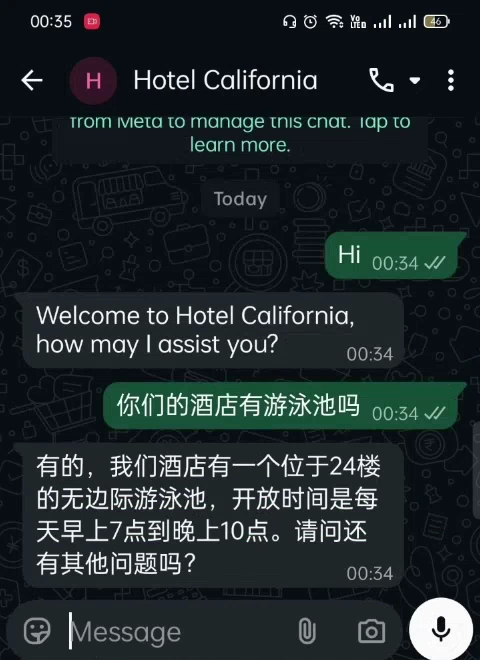
The guest opens with a simple "Hi." The AI introduces the hotel and asks how it can help, the same way a front desk agent would. A few messages later, the guest switches to Chinese mid-conversation, asking whether the hotel has a pool. There is no language menu, no "press 1 for English," and no delay while someone finds a colleague who speaks Mandarin. The AI just answers, in Chinese, with the same detail it would have given in English.
Voice Notes, Not Just Text
The guest then sends the booking details as a spoken voice note rather than typing them out, naming a check-in date and room type out loud. The AI transcribes it, confirms the room, rate, and tax, and waits for a "yes" before going any further. This matters more than it sounds: plenty of WhatsApp messages to businesses arrive as voice notes instead of text, especially from people messaging while out and about. A system that only reads typed messages misses a real slice of genuine enquiries.
Auto-Invoicing, Not Just Auto-Replying
Once the guest confirms, the AI generates an actual PDF invoice, booking reference, rate, tax, and total included, and sends it in the same WhatsApp thread within seconds.
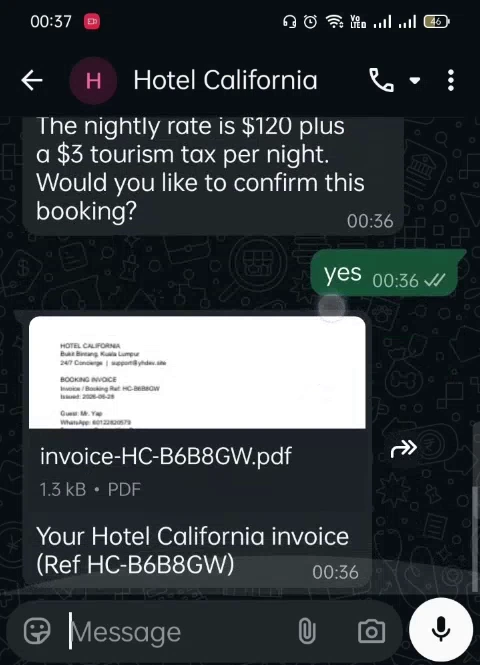
This is the difference between a basic FAQ chatbot and what is actually running here. The AI did not just answer a question. It executed a task: it produced a real document with the correct numbers and delivered it, with no "someone will email you shortly."
Same AI, Live On A Phone Call
The second half of the recording shows the same guest cancelling that booking, but this time over a live, native WhatsApp voice call instead of text. No app switching, no IVR menu to navigate. The guest taps the call button in the same thread and talks, out loud, to the same AI.
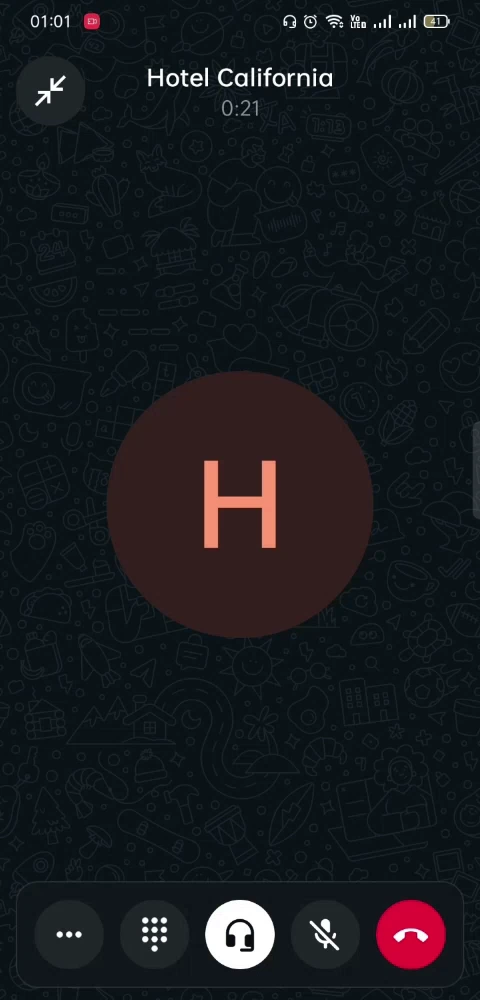
A few things about how that call works are easy to miss just from watching:
- Any accent, your choice. The voice can be set to match your brand or region, rather than defaulting to one generic accent.
- Multilingual mid-call. It can switch languages in the middle of a live call exactly as it did over text, with no setup required from the caller.
- A voice that sounds like your team. The voice itself can be custom-trained to sound consistent with how your business already sounds on the phone, instead of an obviously synthetic one.
- Fully logged. Every call is transcribed and synced to your backend automatically, the same way the chat conversation above was.
Officially Verified By Meta As A WhatsApp Tech Provider
None of this runs on a personal WhatsApp number or a reseller's borrowed access. It is built and verified directly through Meta as a Tech Provider, the status Meta grants to businesses that meet its technical compliance standards for managing WhatsApp Business API access. In practical terms, it means the automation running a client's number is managed directly, not routed through someone else's verified account, which matters the moment more than one client's number is involved.
How Much Does WhatsApp AI Automation Cost
Pricing scales with how much of the workflow is being automated, not with a vague hourly guess:
- Starter ($700–$1,500 / RM3,300–RM7,000) — a single, clearly scoped chatbot: answering FAQs, capturing leads, no integrations.
- Standard ($1,500–$5,000 / RM7,000–RM23,500) — what this demo sits in: a WhatsApp AI agent connected to at least one system, such as a CRM or a booking-and-invoicing flow like the one above.
- Professional ($5,000–$15,000 / RM23,500–RM70,000) — multi-workflow builds, an AI voice agent layered on top of the chat agent, or a custom knowledge base trained on your own documents.
A dedicated WhatsApp Business API setup typically adds $300–$500, and an AI voice agent for calls like the cancellation above adds roughly $800–$2,000 depending on the languages and integrations involved. Most Starter and Standard projects go live in two to four weeks, on a 50/50 payment structure: half to begin, half on delivery. AI usage itself is billed monthly afterward, based on actual consumption, on top of the build, and an optional retainer ($250–$900/month) covers ongoing tuning and support once it is live.
Before You Connect A Number
A few questions come up early in almost every conversation about this:
Will this get my WhatsApp account banned? No, not on its own. Every new WhatsApp Business Account starts at a limit of 250 messages a day to new customers, which Meta raises as the account's quality rating stays healthy, typically to 2,000 and beyond. What actually puts an account at risk is a pattern of recipients blocking or reporting messages, not the existence of automation itself. Replies sent within the 24-hour window a customer's own message opens do not count against the limit at all.
Do I need new software first? No. The integration work connects to whatever is already running, whether that is a CRM, a booking system, or just a spreadsheet, rather than asking a business to adopt something new on top of WhatsApp.
What if my business is not a hotel? The booking-and-cancellation flow above is one shape of a much more general pattern: qualify, confirm, document, escalate. The same structure handles a property enquiry, a clinic appointment, a restaurant reservation, or a repeat order, with the specifics trained on that business instead of a hotel's.
See It On Your Own Number
The fastest way to know what this would look like for your business is to watch it handle one of your own real enquiries instead of a demo. See the WhatsApp automation service this demo came from, or go straight to aaa.yhdev.site to start a pilot on your own number.
Ready to put this on your number?
This is the exact WhatsApp AI service shown in the demo above, built and verified directly through Meta. See it in detail or start a pilot on your own business number.
Related Articles

Dropshipping Website Setup: What You Actually Need...
Build a dropshipping store properly. Learn what you actually need vs. hype-driven myths in the drops...

Best Booking System for Service Businesses: A Comp...
Find the right appointment booking system for your service business. Compare self-hosted and SaaS op...